AWS CLI Cheatsheet

John O'Sullivan
Senior Full Stack Engineer
& DevOps Practitioner
& DevOps Practitioner

Photo by Haithem Ferdi on
John O'Sullivan
Senior Full Stack Engineer
& DevOps Practitioner
& DevOps Practitioner
AWS CLI Cheatsheet
Introduction
The AWS Command Line Interface (CLI) is a powerful tool that allows you to interact with AWS services using commands in your command-line shell. This cheatsheet provides a quick reference to some of my most commonly used AWS CLI commands.
Retrieve recent logs from a specific CloudWatch log group
When troubleshooting AWS Lambda functions or other services, it's often necessary to view recent logs. The following command retrieves the last 200 lines of logs from a specified CloudWatch log group for the past 30 minutes.
When investigating a 403 Forbidden error from a Lambda function deployed using the SST framework, you can use the following command to fetch the logs:
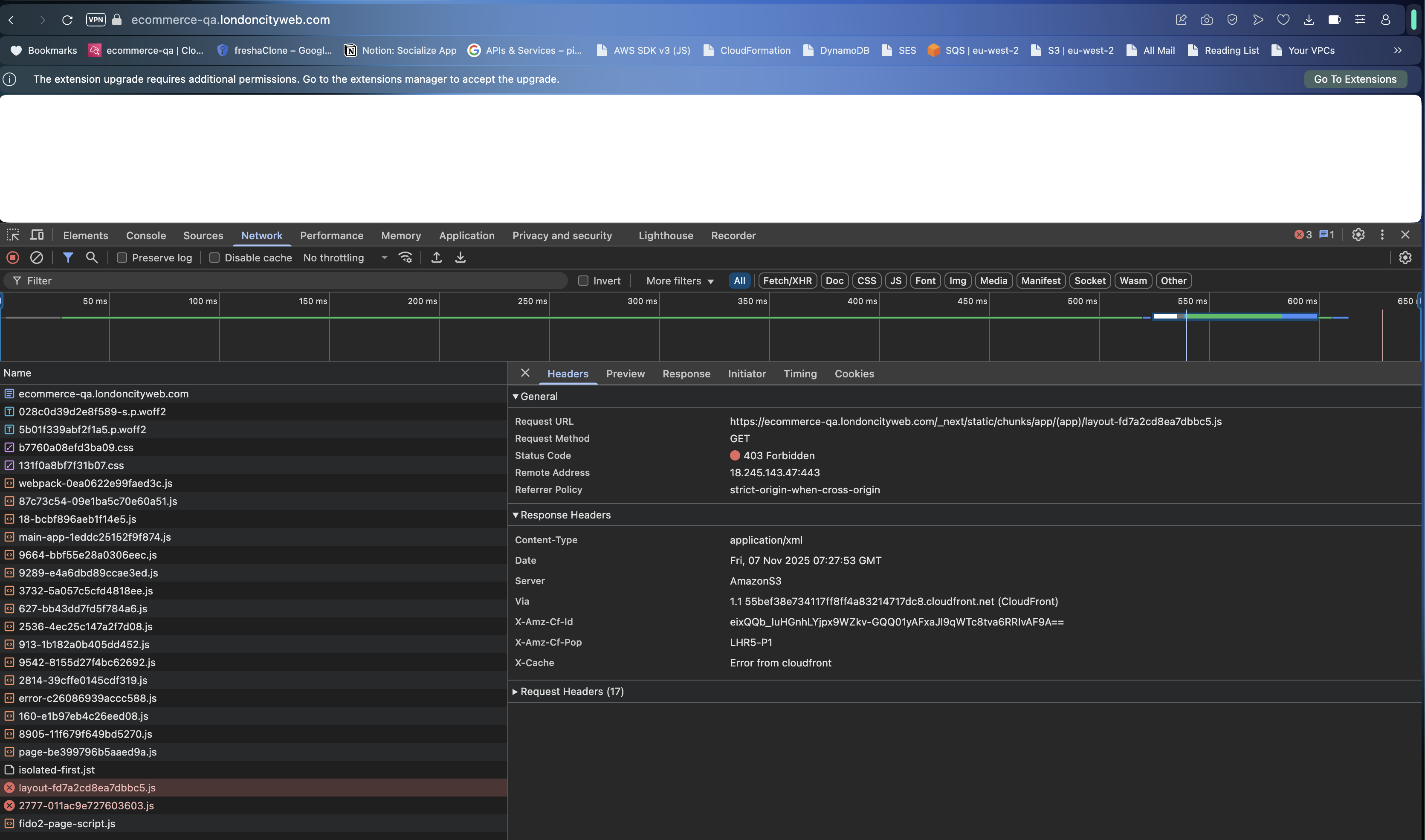
aws logs tail /aws/lambda/ecommerce-qa-FrontendServerEuwest2Function-ssxbtabd --since 30m --region eu-west-2 2>&1 | head -200
example:
❯ aws logs tail /aws/lambda/ecommerce-qa-FrontendServerEuwest2Function-ssxbtabd --since 30m --region eu-west-2 2>&1 | head -200
2025-11-07T07:24:00.347000+00:00 2025/11/07/ecommerce-qa-FrontendServerEuwest2Function-rzooeand[$LATEST]5395f9d2655444f9a34f5868e16bc09f INIT_START Runtime Version: nodejs:20.v82      Runtime Version ARN: arn:aws:lambda:eu-west-2::runtime:dd206d5c0479b082438417cc6b87731a870d3c7d4c6f2375bbacade0b935398d
2025-11-07T07:24:00.476000+00:00 2025/11/07/ecommerce-qa-FrontendServerEuwest2Function-rzooeand[$LATEST]5395f9d2655444f9a34f5868e16bc09f START RequestId: 54f4f967-e6e9-4b53-8f47-0753c6b6eeb2 Version: $LATEST
2025-11-07T07:24:02.875000+00:00 2025/11/07/ecommerce-qa-FrontendServerEuwest2Function-rzooeand[$LATEST]5395f9d2655444f9a34f5868e16bc09f 2025-11-07T07:24:02.875Z       54f4f967-e6e9-4b53-8f47-0753c6b6eeb2    INFO    🔍 DATABASE_URI: postgres://<db_user>:<db_password>@<postgres-db-endpoint>:5432/<db_name>
2025-11-07T07:24:02.876000+00:00 2025/11/07/ecommerce-qa-FrontendServerEuwest2Function-rzooeand[$LATEST]5395f9d2655444f9a34f5868e16bc09f 2025-11-07T07:24:02.876Z       54f4f967-e6e9-4b53-8f47-0753c6b6eeb2    INFO    🔍 All relevant env vars: {
  DATABASE_URI: 'postgres://<db_user>:<db_password>@<postgres-db-endpoint>:5432/<db_name>',
  PAYLOAD_SECRET: '***',
  NODE_ENV: 'production'
}
2025-11-07T07:24:03.495000+00:00 2025/11/07/ecommerce-qa-FrontendServerEuwest2Function-rzooeand[$LATEST]5395f9d2655444f9a34f5868e16bc09f [07:24:03] WARN: No email adapter provided. Email will be written to console. More info at https://payloadcms.com/docs/email/overview.
2025-11-07T07:24:03.897000+00:00 2025/11/07/ecommerce-qa-FrontendServerEuwest2Function-rzooeand[$LATEST]5395f9d2655444f9a34f5868e16bc09f END RequestId: 54f4f967-e6e9-4b53-8f47-0753c6b6eeb2
2025-11-07T07:24:03.897000+00:00 2025/11/07/ecommerce-qa-FrontendServerEuwest2Function-rzooeand[$LATEST]5395f9d2655444f9a34f5868e16bc09f REPORT RequestId: 54f4f967-e6e9-4b53-8f47-0753c6b6eeb2 Duration: 3420.24 ms    Billed Duration: 3547 ms    Memory Size: 1024 MB     Max Memory Used: 163 MB Init Duration: 126.22 ms
Get CloudFront Distributions with aliases matching substring (output in table format)
❯ aws cloudfront list-distributions --query 'DistributionList.Items[?Aliases.Items[?contains(@, `sizzle.audio`)]].[Id,Aliases.Items[0],DomainName]' --output table
-----------------------------------------------------------------------------------
|                                ListDistributions                                |
+----------------+------------------------------+---------------------------------+
|  EACJFV3DZZ4WD |  qa.sizzle.audio             |  d2ddihxdf8fdla.cloudfront.net  |
|  EP9WEWSQ69H3M |  www.qa.sizzle.audio         |  dbysr6x10sixb.cloudfront.net   |
|  E1F5NAN982A1KU|  www.sizzle.audio            |  d1d0inx2sy2u9i.cloudfront.net  |
|  E2XI2Z9QLWSYDZ|  sizzle.audio                |  d1hprhztlkj2w9.cloudfront.net  |
|  E12PAA5YQ37UYW|  johnosullivan.sizzle.audio  |  d14rcmupa5uzvi.cloudfront.net  |
+----------------+------------------------------+---------------------------------+